FREE CHEATS FOR
Microsoft Flight Simulator 2024
Released November 19, 2024
Updated

 EAGLE CHEATS
How to use Eagle in Microsoft Flight Simulator 2024
With Microsoft Flight Simulator 2024 running, press Insert to open the Eagle menu. The quick keys give direct access to No Aircraft Damage and Infinite Fuel. Use the menu for Freeze Fuel Consumption, Aircraft Teleport and Set Time of Day and the remaining listed features; close it with Insert to return to the app.
- F2 No Aircraft Damage
Press F2 to turn No Aircraft Damage on or off without opening the menu. - F3 Infinite Fuel
Press F3 to turn Infinite Fuel on or off without opening the menu. - Insert Freeze Fuel Consumption
Press Insert, find Freeze Fuel Consumption in the feature list, and switch it on or off. - Insert Aircraft Teleport
Press Insert, find Aircraft Teleport in the feature list, and switch it on or off. - Insert Set Time of Day
Press Insert, choose Set Time of Day, adjust its value or option, and apply.
EXPLORE THE MENUFeatures
10 features
The free Microsoft Flight Simulator 2024 trainer includes No Aircraft Damage, Infinite Fuel and Freeze Fuel Consumption. It also offers Set Time of Day, Set Weather and Set Wind Strength. Press Insert to open the menu on Windows PC.
- No Aircraft Damage
- Infinite Fuel
- Freeze Fuel Consumption
- Set Time of Day
- Set Weather
- Set Wind Strength
- Aircraft Teleport
- Free Camera
- Camera Speed
- Save Flight Position
About the game
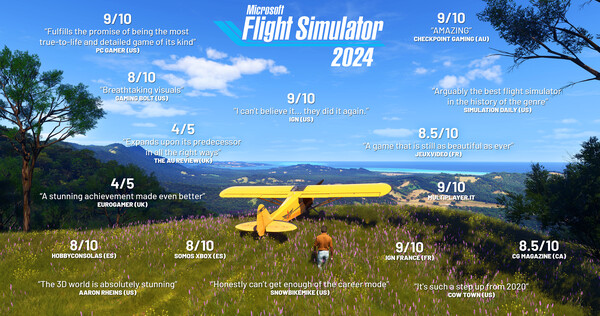
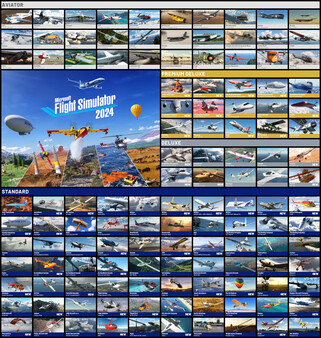
Explore the world with our largest fleet of aircraft and take simulation to new heights while pursuing your aviation career within Microsoft Flight Simulator 2024.
Official game page